


Download Vrse – Virtual Reality, Immersive Stories, Cinematic VR, VR Documentaries, VR Content
Overview
Vrse is a desktop-compatible application designed to deliver cinematic virtual reality experiences through a curated library of high-quality VR content. Developed by The Within, the app focuses on immersive storytelling through documentaries, animations, music videos, and horror narratives, emphasizing "Quality over Quantity" in its content selection. The platform showcases photo-realistic visual captures and advanced CGI rendering, aiming to transport users into vivid, lifelike environments.
While primarily intended for mobile use on iOS and Android, the software is accessible on desktop systems through compatible emulators or remote streaming solutions. Its core purpose is to provide users with a premium, ad-free VR viewing experience, positioning itself as a platform for narrative-driven visual media rather than interactive gaming. Ideal for film enthusiasts, educators, and VR explorers, Vrse enables users to engage with global stories from independent creators and film festivals.
Real-world applications include virtual travel, educational immersion, and personal entertainment. The app is updated monthly with new content, ensuring a fresh and evolving experience. The developer did not provide additional system requirements for desktop environments.
Key Features & Capabilities
- Curated VR Content Library – Access to a monthly-updated collection of award-winning VR stories, including documentaries, animations, and music videos, selected for artistic and technical excellence.
- High-Fidelity Visuals – Utilizes advanced camera systems and CGI rendering to deliver photo-realistic environments and characters, enhancing immersion and realism.
- Multi-Format Accessibility – Supports both VR headset use (e.g., Google Cardboard) and 360-degree viewing on smartphones, allowing users to experience content without specialized hardware.
- Download & Stream Options – Users can download experiences for offline viewing or stream content when connected to fast internet, offering flexibility based on connectivity and storage preferences.
- Ad-Free Experience – The app remains free of advertisements and hidden charges, maintaining a clean and uninterrupted viewing environment.
- Immersive Audio Integration – Encourages headphone use for optimal sound delivery, enhancing spatial audio and emotional impact during viewing sessions.
These features enable users to explore global stories from diverse creators in a deeply engaging format. For example, a documentary on remote ecosystems can be experienced as if present within the environment, while a music video can unfold in full 360-degree space. The platform is ideal for personal enrichment, classroom use, or creative inspiration, offering a unique blend of technology and storytelling.
User Interface, Workflow & Performance
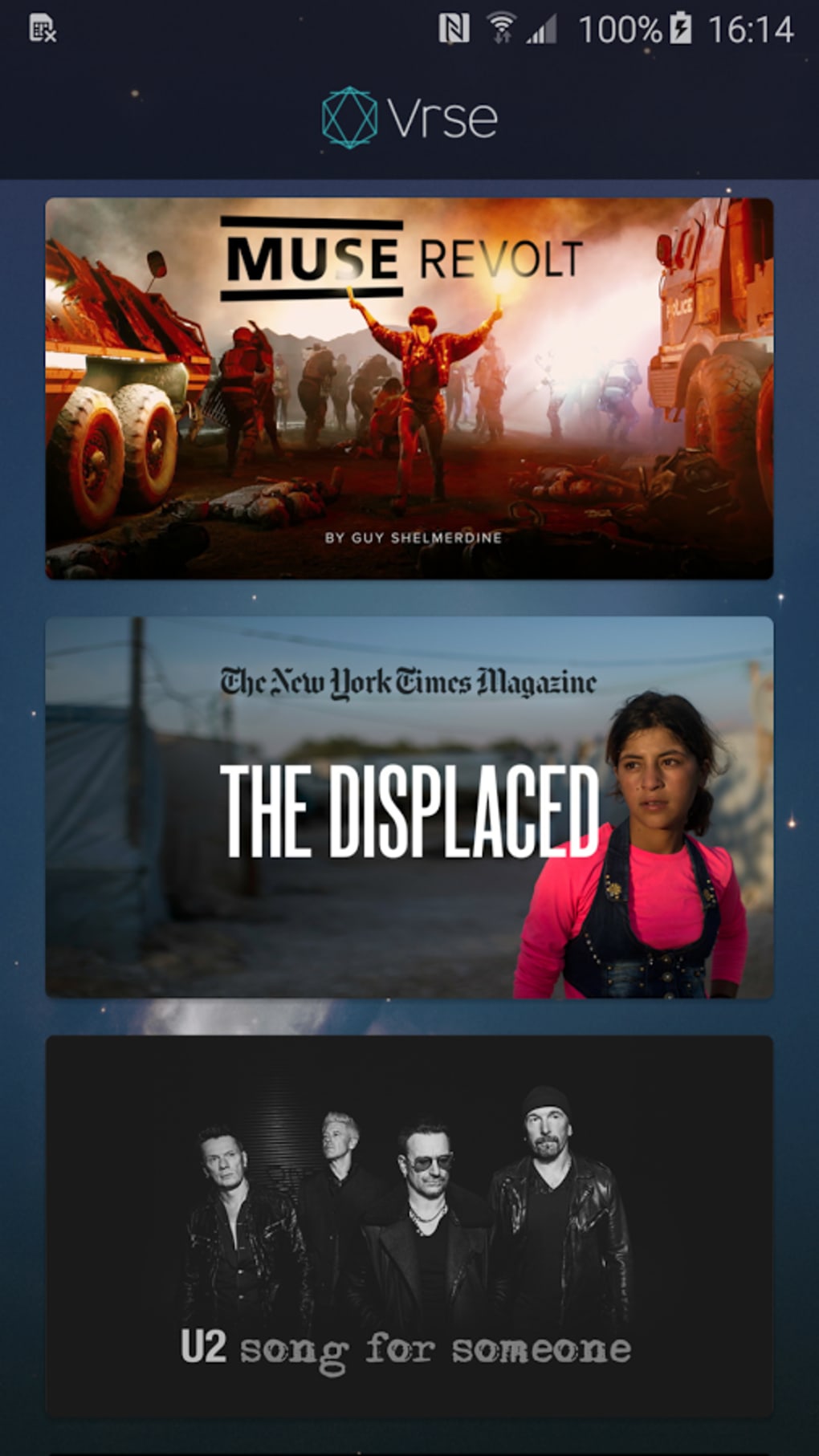
The user interface of Vrse is designed for intuitive navigation, allowing users to browse content by category, genre, or release date. The layout prioritizes visual thumbnails and clear metadata, supporting quick access to new and featured experiences. Workflow efficiency is maintained through a streamlined selection process: users choose a title, view its details, and either stream or download for offline use.
The interface adapts to both VR headset mode and 360-degree mobile viewing, ensuring consistent usability across platforms. Performance observations are based on general software behavior patterns, as no specific data was provided regarding CPU or RAM usage. The developer did not specify resource usage details.
Stability appears to be consistent with standard media applications, though real-world testing on desktop environments was not available. Users may experience minor delays when streaming high-resolution content, depending on internet speed. The app is optimized for smooth playback, with minimal lag reported in mobile versions.
For desktop users, performance may vary based on emulator or remote access setup. Overall, the experience remains focused on visual and auditory immersion rather than complex interactions.
Compatibility & System Requirements
Vrse is officially supported on iOS and Android operating systems, with a release version of 1.2.4 and a file size of 200 MB. The application is available for free download on both platforms. Compatibility information was partially provided, with no details on desktop system requirements.
The developer did not specify whether the app is natively available for Windows or macOS, nor did they provide minimum hardware specifications. Users seeking desktop access may need to rely on mobile emulators, remote desktop tools, or streaming solutions. Exact system requirements were not listed.
Performance on desktop systems may depend on the chosen method of access and the device’s processing capabilities. It is recommended to ensure a stable internet connection and sufficient storage space when downloading content. For optimal viewing quality, users should consider using headphones and a high-resolution display.
Pros and Cons
Pros
- Free to use with no ads or hidden fees
- High-quality, curated VR content from global creators
- Supports both VR headset and 360-degree mobile viewing
- Monthly content updates ensure a fresh experience
- Offers both download and streaming options
- Encourages immersive audio with headphone integration
Cons
- No native desktop version available
- Performance on desktop systems not officially supported
- Content is non-interactive, limiting engagement for gaming users
- Limited system requirements information
- Dependent on internet speed for streaming
FAQ Section
Is Vrse available for Windows or Mac?
Officially, Vrse is designed for iOS and Android devices. There is no native desktop version available for Windows or macOS. Users may access the app through mobile emulators or remote streaming tools.
Is the app safe to download and use?
Yes, Vrse is free from advertisements and known security threats. It is distributed through official app stores and maintained by The Within, a reputable developer in the VR storytelling space.
How often is new content added?
New VR experiences are added monthly, ensuring a regularly refreshed content library. Users can expect fresh stories and productions from independent creators and film festivals.
Can I use Vrse without a VR headset?
Yes, Vrse supports 360-degree viewing on smartphones, allowing users to experience VR content without a headset. This mode turns a smartphone into a window to immersive environments.
Is the app free forever?
As of the latest release, Vrse remains free to use with no subscription or in-app purchases. The developer has not announced any plans to introduce paid features.
Final Thoughts + CTA
Vrse stands out as a powerful platform for cinematic virtual reality, delivering emotionally resonant stories through high-fidelity visuals and immersive audio. While it lacks native desktop support, its focus on quality content, monthly updates, and ad-free access makes it a compelling choice for VR enthusiasts and storytellers alike. The app excels in narrative depth and visual craftsmanship, offering a unique alternative to interactive gaming.
It is especially beneficial for educators, film lovers, and anyone interested in exploring the artistic potential of VR technology. For users seeking a premium, distraction-free VR experience, Vrse delivers on its promise. Download Vrse now to step into the world’s most captivating stories.





.png)

